


Simple Camera
4.0379.00 Reviews
App Specs
- Version
- 6.1.0
- Updated On
- License
- Free
- Downloads
- 5,000,000+
- Developer
- Simple Mobile Tool
- Categories
- Photography
- Platform
- Android, iOS
Screenshots
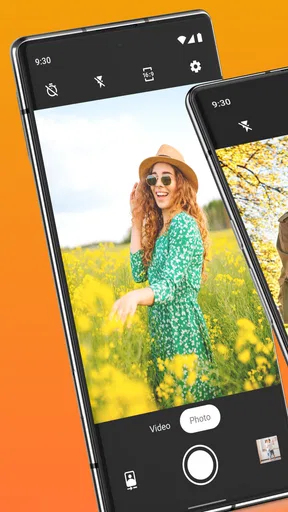
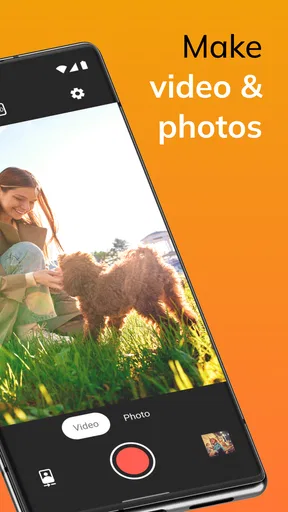
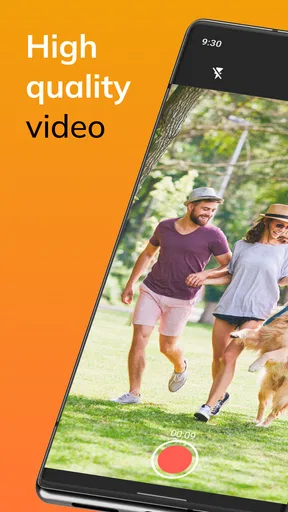
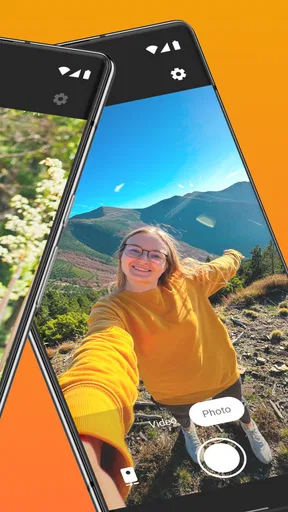
 Analysis by AppCompare
I tend to reach for a camera app when something is happening right now, not when I have time to prepare a shot. That is the situation where Simple Camera makes the most sense: it keeps the path from opening the camera to taking a photo uncomplicated. Its central appeal is not a long list of effects, but the chance to get to the viewfinder quickly and make a few useful choices without turning a casual picture into a project.
A camera built around quick choices
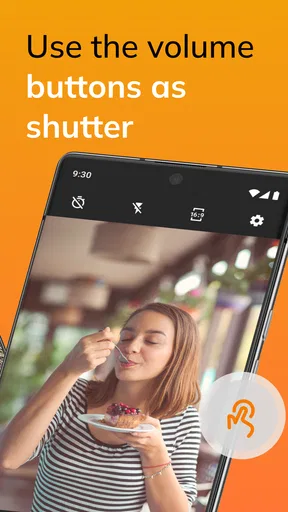
The most practical idea here is restraint. Simple Camera is a photography app from Simple Mobile Tool, and its focus is on taking photos and videos with a flash and a choice of aspect ratios. Those controls matter because they address decisions people actually make before pressing the shutter: whether the scene needs extra light and how the image should be framed for its intended use.
Aspect ratio is easy to overlook until a photo has to fit somewhere. If I am taking a picture for a message or a post, choosing the framing before shooting can save a crop later. For a scene I want to keep more generally, a different ratio may make more sense. The useful habit is to decide first where the image is going, then select a frame that suits it, rather than taking every shot in one shape and fixing them all afterward.
The flash is similarly situational rather than a guarantee of a better picture. It can help when a nearby subject is dim, but it may be a poor fit for a reflective surface, a window, or a scene where the surrounding light is part of the atmosphere. I would treat it as a quick option to assess, not a setting to leave on by default. That small pause—checking the scene before tapping—can matter more than adding a complicated effect.
What the simpler approach changes
When I use a straightforward camera, I want fewer decisions between noticing something and capturing it. That is especially helpful when I am photographing a receipt, a label, a meal, or a quick moment with someone who is unlikely to wait while I explore menus. The app’s emphasis on direct camera use fits those ordinary jobs better than a tool designed around elaborate editing or a full manual setup.
A practical workflow is to choose the aspect ratio for the destination, check whether the flash would help, and take a test frame if the lighting is uncertain. For a document or product label, I would keep the phone steady and check that the whole subject sits inside the frame. For a person in low light, I would consider whether using flash would create harsh light before relying on it. These are simple choices, but making them deliberately can prevent avoidable retakes.
This is also where a separate editing app can be a sensible companion. A capture-focused camera and an editor do different jobs: one helps me get the image, while the other can handle adjustments afterward. If I know I will need color correction, retouching, text, or a polished look, I would plan to use another tool rather than expect a minimal camera to finish the whole task.
Worth Reading Before You Choose

Flipboard Shows What News Apps Must Do Beyond the Feed

Switching to Android Auto Means Rethinking Your Driving Routine

Google Calendar Makes a Crowded Week Easier to Manage

Ludo King Makes the Most of the Minutes Between Plans

Baby Panda World Brings Quick Play to Modern Phones, but Its Game Library Feels Busy

ESPN’s Live Game View Makes Following Close Games Easier
Where it fits among camera apps
Most phones already include a built-in camera, so the fair comparison is not with a professional camera rig but with the camera that is already on the home screen. The built-in option may be more convenient if it offers the controls I need and is already familiar. Simple Camera is more compelling for someone who prefers its direct, uncomplicated approach and wants a quick route to basic photo and video capture.
At the other end are camera apps that put manual controls, filters, and creative effects front and center. Those can be a better choice when I want to adjust a shot carefully or experiment with a particular style. Their extra choices can also slow down a spontaneous photo. Simple Camera’s appeal is the trade-off: less emphasis on creative processing, more emphasis on getting to a shot without a large set of controls competing for attention.
It is worth keeping expectations grounded. A simpler interface cannot make a dim room bright, prevent a moving subject from blurring, or replace thoughtful framing. Nor does a flash solve every low-light problem. I would choose the app for the convenience of its basic capture approach, not because simplicity by itself promises better image quality than the phone’s hardware or another camera app can produce.
Everyday moments and small decisions
Imagine I am walking home and notice a useful sign with details I may need later. I can open the camera, pick a frame that includes the whole sign, check that the text is readable on screen, and take the picture. If glare or darkness makes the first result hard to read, I can change my position or reconsider the flash and try again. That is a more reliable workflow than taking a hurried shot and assuming an editing tool will rescue it later.
For a short video, I would think about the same practical issues before recording: whether the framing suits the clip and whether the lighting is adequate. Switching from a still to a moving image is useful when the moment changes, but a quick camera is not a substitute for a dedicated video editor. If the final clip needs titles, cuts, or a carefully assembled sequence, I would capture it here only if the straightforward recording experience suits the moment, then finish the work elsewhere.
One non-obvious benefit of deciding on the aspect ratio before shooting is that it makes a set of pictures feel more consistent. If I am taking several images for the same purpose, using the same framing choice throughout can save time when I share or organize them. The trade-off is that a preset frame can exclude something at the edge of a scene, so I would check the corners rather than assume the subject alone is enough.
Who will appreciate it—and who may not
I see this as a good fit for people who mostly want to open a camera, take ordinary photos or videos, and get back to what they were doing. It may also suit someone who finds feature-heavy interfaces distracting or who wants to make a quick framing decision without entering an elaborate shooting mode. The app is free to install, has an Everyone content rating, and its current version is 6.1.0; it supports Android 10 and later.
It has an average rating of 4.3 from around 22,000 ratings, and it has passed over five million installs. Those figures suggest it has reached a substantial audience, but they do not tell me whether it will suit a particular phone or shooting style. I would judge it by whether its basic controls fit my routine. The app is free, with in-app purchases listed from $0.99 to $99.99 per item, so I would check the purchase details in the app before making any decision about optional paid items.
Someone who depends on manual focus, advanced exposure control, a collection of filters, or built-in editing should look for a more feature-rich camera or editing app instead. The same goes for a creator who needs a complete video workflow or wants to shape every image before sharing it. Simple Camera is not the right choice merely because it is easy to open; the important question is whether its limited, direct approach covers the decisions that person actually wants to make.
Simple Camera was released on June 5, 2016, and is developed by Simple Mobile Tool. I would consider those details alongside compatibility: if a device is running an earlier Android version than the stated minimum, this is not the right option for that phone. For a supported device, a useful first test is to take the same ordinary scene with the built-in camera and this app, then compare how quickly each gets me to a satisfactory frame. That gives a more meaningful answer than choosing based on a feature list alone.
First Impressions
When you first open Simple Camera, it feels like a breath of fresh air. There’s no clutter, no overwhelming menus that make you feel like you need a degree in photography just to take a picture. It’s exactly what it says on the tin—simple. The user interface is clean, with large, easy-to-tap buttons that make navigation a breeze.
One of the first things I noticed was how quickly the app launches. There’s no lag time, which is perfect for those spontaneous moments when you need to snap a picture fast. The app opens directly to the camera interface, so you’re ready to shoot in seconds.
Features That Stand Out
Now, you might be wondering, what makes Simple Camera different from the stock camera app on your phone? That’s a great question! While it doesn’t boast a ton of features, the ones it does offer are well thought out and incredibly useful for everyday photography.
- Minimalist Controls: You have the essentials right at your fingertips. The app offers basic controls like zoom, focus, and exposure adjustments, which are more than enough for quick shots.
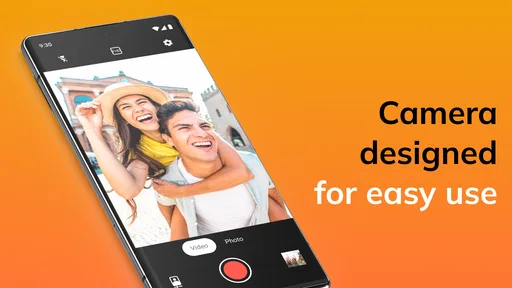
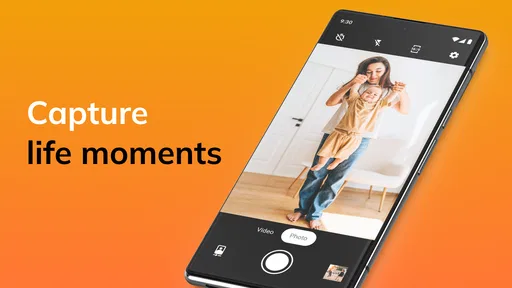
- Quick Access: With just a swipe, you can switch between photo and video modes, making it super convenient when you’re trying to capture both stills and motion.
- Efficient Storage: Photos and videos are saved directly to your device, and the app optimizes storage so you don’t end up running out of space after a few shots.
There's also a handy grid feature that helps with composition, ensuring your photos come out looking their best. It’s a little touch that makes a big difference, especially for those of us who aren’t professional photographers.
Everyday Use
Using Simple Camera daily is, well, simple! I found myself reaching for it every time I wanted to capture something quickly without fiddling with settings. Whether it’s a cute moment with friends or a beautiful sunset, I love that I can whip out my phone, open the app, and get a great shot in no time.
Battery consumption is minimal, so you can keep snapping away without worrying about draining your phone’s life. Plus, the app runs smoothly across both Android and iOS, making it a versatile choice regardless of your device.
Room for Improvement?
While I really enjoy using Simple Camera, I did notice a couple of areas where it could improve. The app doesn’t offer any editing tools, which means you’ll need a separate app to tweak your photos afterward. Also, while the simplicity is refreshing, some users might miss advanced features like manual focus or filters.
That said, if you’re someone who prefers a no-nonsense approach to photography and doesn’t need all the bells and whistles, this app is definitely worth a try. It’s all about capturing moments as they happen, without distractions.
Final Thoughts
In the age of overly complicated apps, Simple Camera is a delightful reminder that sometimes less really is more. It’s perfect for those who want an easy-to-use, reliable camera app without the fuss. Whether you’re a beginner or just someone who values efficiency, this app delivers on its promise of simplicity while still offering you the tools to capture great photos.
If you're curious and want to give it a go, you can easily find download links for both Android and iOS. So, go ahead and capture the world around you without the hassle. Trust me, your camera roll will thank you!
Pros
- User-friendly interface for easy navigation.
- Quick access to essential camera features.
- Minimalistic design enhances usability.
- Fast photo capture with no lag.
- Low memory usage improves performance.
Cons
- Lacks advanced editing tools.
- Limited filter options available.
- No support for 4K video recording.
- No built-in cloud storage integration.
- Basic features only
- no creative modes.
FAQs for Simple Camera
What features does Simple Camera offer compared to other camera apps?
Simple Camera offers a streamlined experience with essential features for everyday photography. It includes options for basic editing, filters, and a user-friendly interface. The app focuses on ease of use, making it ideal for users who prefer a straightforward approach to capturing moments without the complexity of professional-grade apps.
Is Simple Camera free to download and use?
Yes, Simple Camera is free to download and use. However, it may offer in-app purchases or ads. These can include additional filters or features that enhance the user experience. Check the app’s store page for detailed information on any costs associated with premium features.
Does Simple Camera require an internet connection to function?
No, Simple Camera does not require an internet connection for its basic functions. You can take photos and use offline features without connectivity. However, some features, like sharing photos on social media or downloading additional content, will require an internet connection.
Is Simple Camera compatible with all Android and iOS devices?
Simple Camera is designed to work on a wide range of Android and iOS devices. However, compatibility may vary based on the device's operating system version. It's recommended to check the app store listing to ensure your device meets the minimum requirements before downloading.
How does Simple Camera ensure user privacy and data security?
Simple Camera is committed to user privacy and data security. It collects minimal data and provides clear privacy settings, allowing users to control what information is shared. Always review the privacy policy to understand how your data is handled, and ensure you're comfortable with the app’s practices.


